If you've added FAQ schema markup to your WordPress posts and want to confirm it's working correctly, Google's Rich Results Test is the right tool for the job. It checks your JSON-LD markup for formatting errors, syntax issues, and structural problems that could prevent search engines from interpreting the structured data on your FAQ page correctly.
This guide walks you through exactly how to use it, what the results mean, and what has changed about the tool following Google's May 2026 deprecation of FAQ rich results.
Before You Start: What Changed in 2026
If you've been following FAQ schema news, you may be wondering whether the Rich Results Test is even worth using now that Google deprecated FAQ rich results in May 2026. The short answer is yes, and here's why.
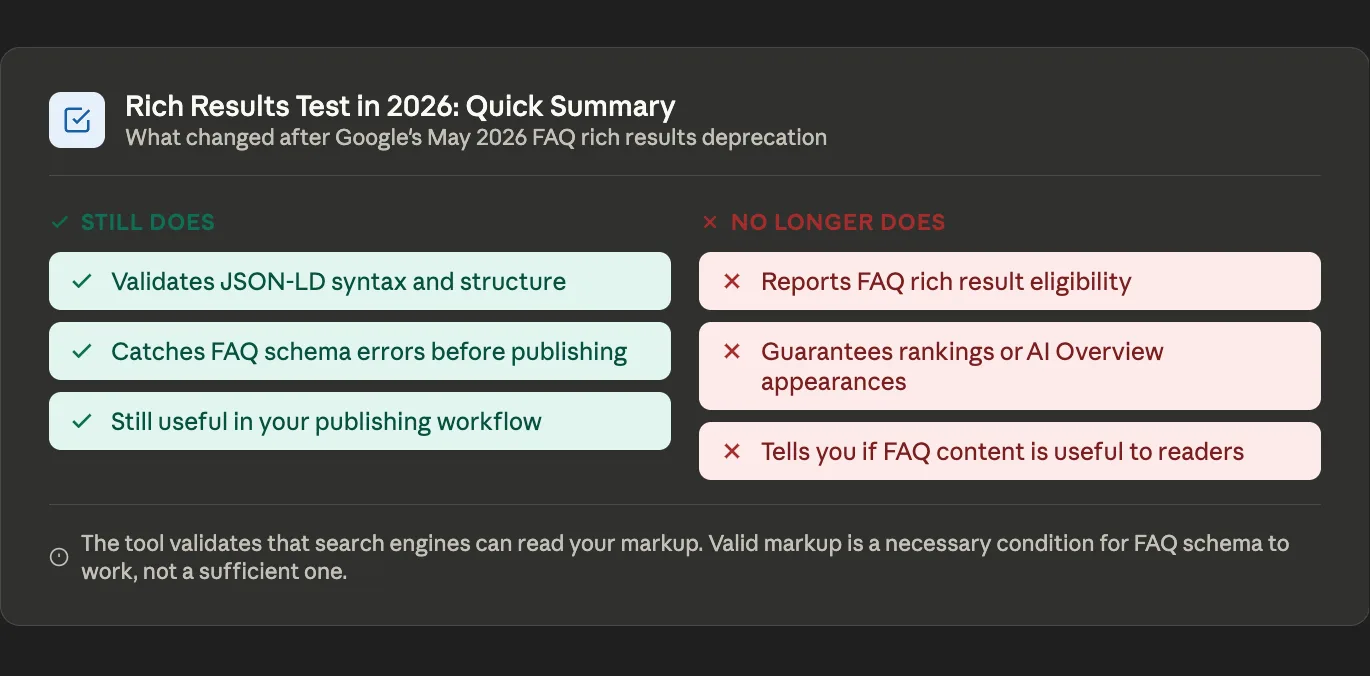
Rich Results Test in 2026: Quick Summary
- Validates JSON-LD syntax and structure
- Catches FAQ schema errors before publishing
- Still useful as part of your publishing workflow
- No longer reports FAQ rich result eligibility
- Does not guarantee rankings or AI Overview appearances
Google deprecated the FAQ rich result display feature in May 2026. The expandable question-and-answer dropdowns that used to appear in search listings are gone. As of June 2026, the Rich Results Test is also removing its FAQ-specific eligibility check.
What is not being removed is the core JSON-LD validation function. The tool still tells you whether your FAQ schema markup is correctly formatted and readable by search engines. That's the part that matters for making sure your schema actually delivers its remaining benefits: content comprehension, AI crawler accessibility, and People Also Ask eligibility.
For a complete explanation of what FAQ schema still does after the deprecation, see The Complete Guide to FAQ Schema in 2026.
What the Rich Results Test Actually Does
The Rich Results Test is a free tool from Google that reads the structured data on a web page and tells you whether that markup is valid and correctly formatted. It checks whether your JSON-LD follows the Schema.org specification for the type you're using, whether required fields are present, and whether there are any syntax errors in the code itself.
For FAQ schema specifically, the tool has traditionally also told you whether your page is eligible to appear with FAQ rich results in Google search. As of June 2026, that eligibility check is being removed as part of Google's deprecation of the FAQ rich result feature. However, the core validation function remains fully intact. The tool still catches the formatting and syntax errors that would prevent Google from reading your FAQ markup at all — which is the most practically useful function it provides.
What the Rich Results Test Does NOT Tell You
This is worth clarifying before diving into how to use the tool. The Rich Results Test is a technical validator, not a ranking or performance predictor. It cannot tell you:
- Whether FAQ schema will improve your search rankings
- Whether Google AI Overviews will cite your content
- Whether users will click your search result
- Whether your FAQ content is genuinely useful to readers
- Whether your page will appear in People Also Ask boxes
It only validates that search engines can read your markup correctly. That's a necessary condition for FAQ schema to work at all, but it's not sufficient on its own. Well-written, genuinely useful FAQ content delivers SEO and AI search benefits. The Rich Results Test confirms the technical plumbing is in order.
Where to Find It
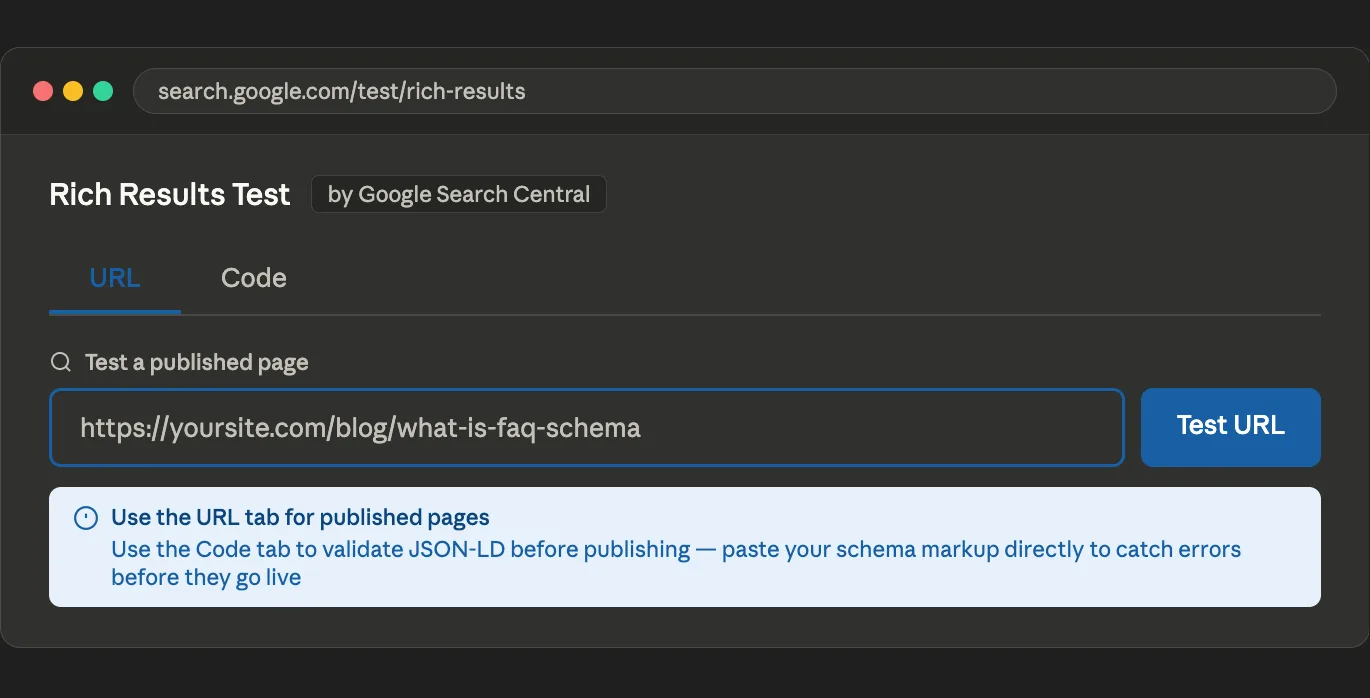
Go to search.google.com/test/rich-results in any browser. The tool is free and does not require a Google account.
Two Ways to Test: URL and Code
The Rich Results Test offers two testing methods depending on where you are in your publishing process.
Testing a Live URL
If your post is already published, click the URL tab, enter the full URL of your post including the https prefix, and click Test URL. The tool fetches your live page, reads the structured data it finds, and returns the results.
This is the most accurate test because it reads your page exactly as Google's crawler would, including any dynamic content or server-rendered markup.
Testing Code Directly
If you want to validate your schema markup before publishing, click the Code tab and paste your JSON-LD directly into the editor. This lets you catch and fix errors before the post goes live rather than discovering them after the fact.
This is the method to use when you generate FAQ schema from a tool like faqschemagenerator.com and want to confirm it's correctly formatted before pasting it into WordPress.
Reading the Results
After running a test, the tool returns one of two states for each structured data type it finds.
Valid Markup
A green status with no errors means your JSON-LD is correctly formatted and Google can read it. All required fields are present, and the code structure follows the Schema.org specification. Your FAQ schema is working correctly.
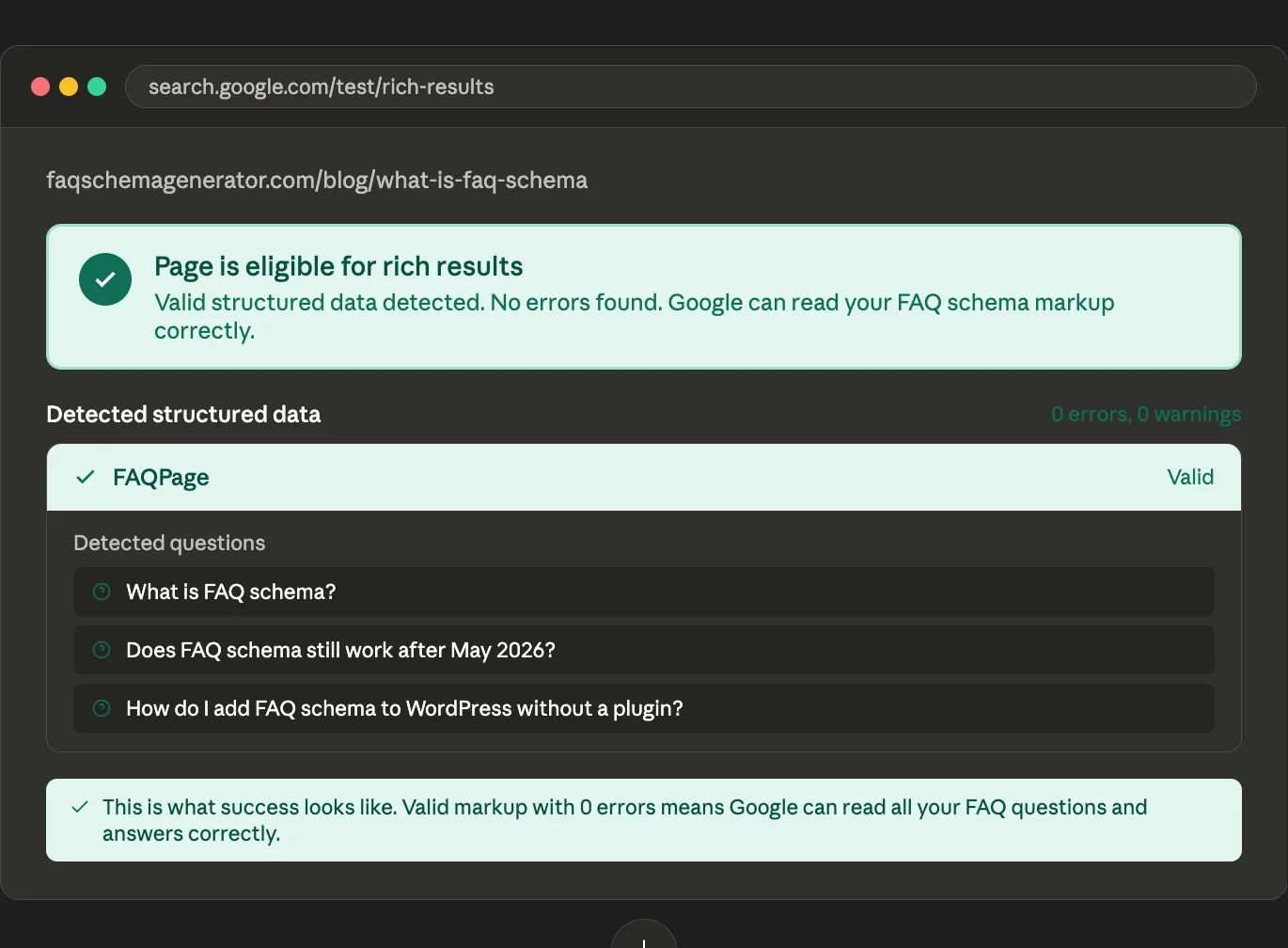
You may also see warnings alongside a valid result. Warnings flag missing optional fields or recommended practices that aren't followed. They don't prevent your markup from being recognized, but addressing them can improve how completely Google understands your content.
Errors
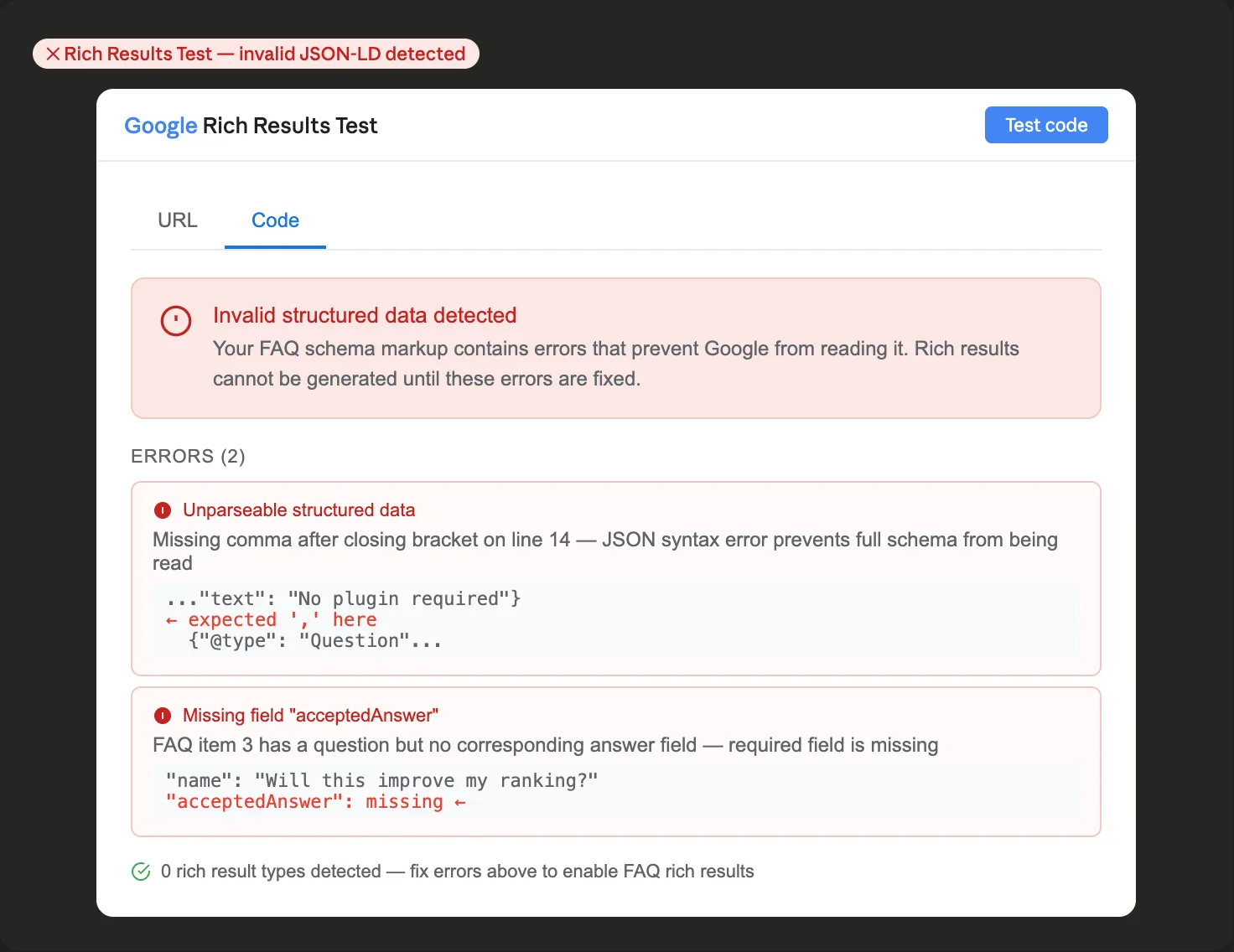
A red status with errors means Google cannot read the markup. Common causes include missing commas between properties, unmatched curly braces or square brackets, unclosed quotation marks, and special characters in answer text that haven't been properly escaped.
In practice, syntax errors can prevent Google from processing the entire FAQ schema block correctly. This is why validating before publishing is worth the two minutes it takes.
Common FAQ Schema Errors and How to Fix Them
Missing Comma Between Properties
JSON requires a comma between each property in an object. Forgetting one between the name and acceptedAnswer fields is the most common FAQ schema error.
Broken:
"name": "What is FAQ schema?"
"acceptedAnswer": {
Fixed:
"name": "What is FAQ schema?",
"acceptedAnswer": {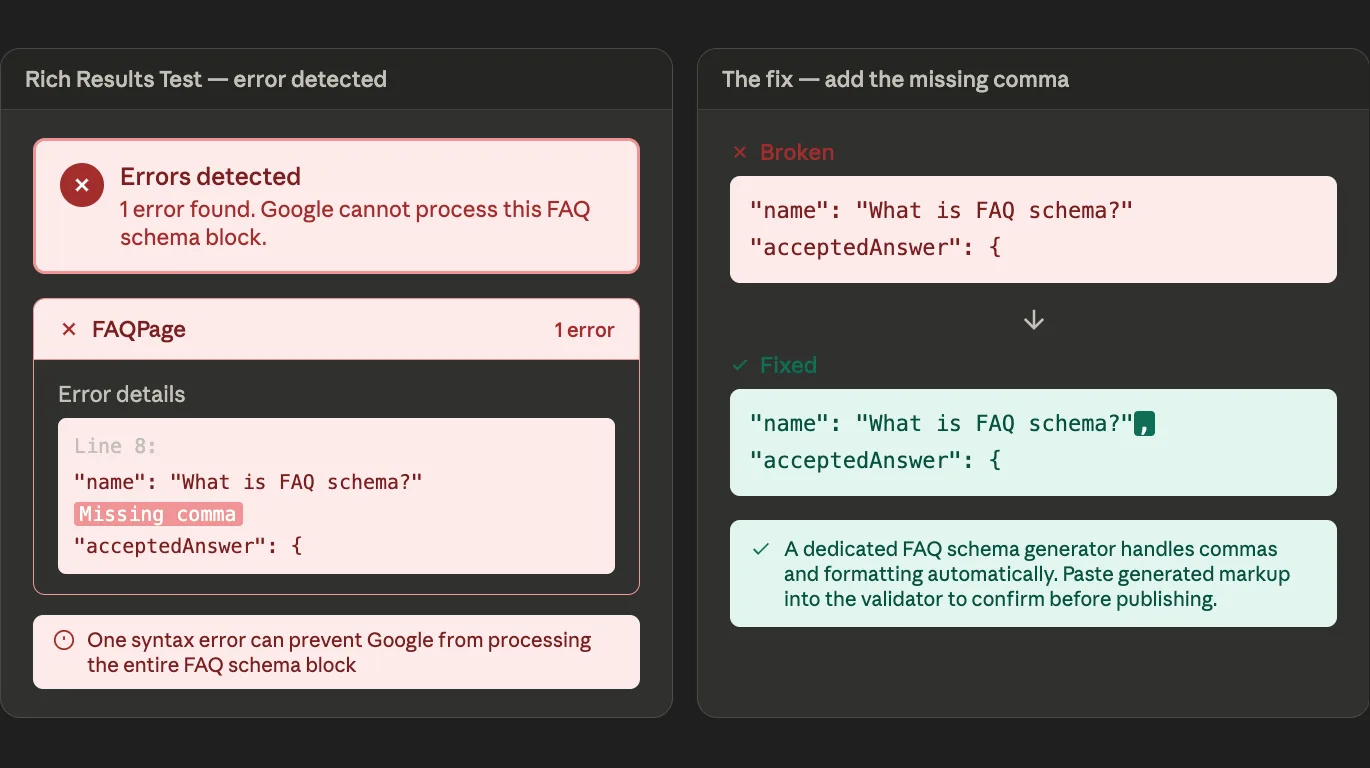
Unescaped Quotation Marks in Answer Text
If your FAQ answer contains a quotation mark, it needs to be escaped with a backslash. Unescaped quotes inside a string break the JSON structure.
Broken:
"text": "Google calls this a "rich result" in search."Fixed:
"text": "Google calls this a "rich result" in search."Missing Required Fields
FAQPage schema requires specific fields to be valid. Each Question needs a name field containing the question text, and an acceptedAnswer field containing an Answer object with a text field. If any of these are missing, the markup will show an error.
A dedicated FAQ schema generator handles all of these requirements automatically, which is why generated markup tends to have fewer errors than manually written JSON-LD.
Unclosed Brackets
Every opening brace and bracket needs a matching closing one. A missing closing bracket at the end of a long FAQ block is easy to miss by eye and immediately caught by the validator.
For a full list of implementation mistakes to avoid, see 7 FAQ Schema Mistakes WordPress Bloggers Make.
A Useful Companion: Schema.org Validator
For additional validation beyond the Rich Results Test, the Schema.org testing tool at validator.schema.org checks your markup directly against the Schema.org specification rather than against Google's rich results eligibility criteria. This is particularly useful after June 2026, since it validates FAQPage markup without any dependence on the now-deprecated FAQ rich results feature.
It's worth running both tools on new FAQ schema implementations. The Rich Results Test catches JSON-LD syntax errors. The Schema.org validator confirms you're using the right types and properties for the content you're marking up.
How to Use the Test in Your Publishing Workflow
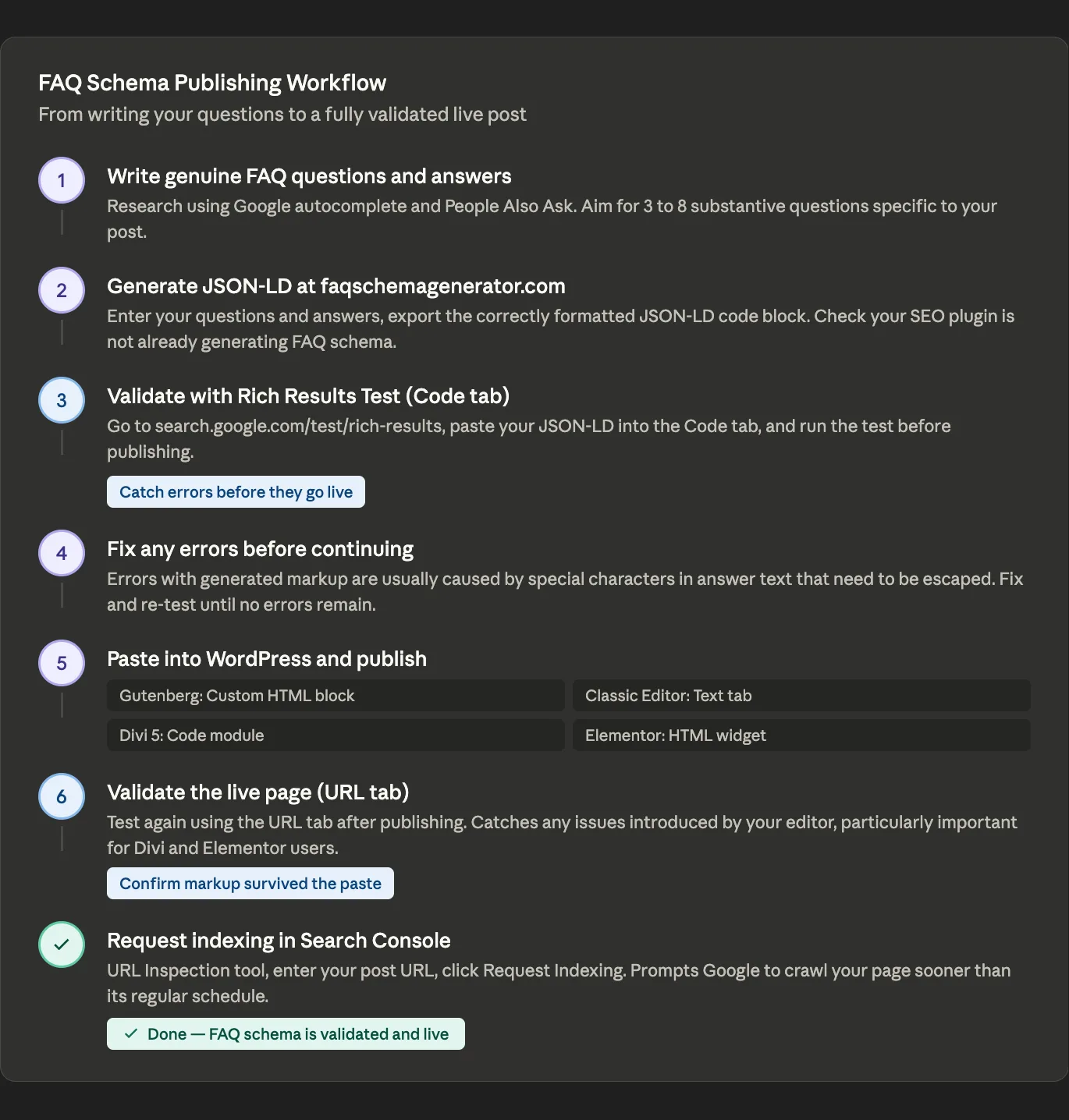
A simple workflow that catches most problems before they affect your published posts:
Step 1: Write your FAQ questions and answers and enter them into faqschemagenerator.com.
Step 2: Export the JSON-LD code block from the generator.
Step 3: Open the Rich Results Test, click the Code tab, and paste the JSON-LD. Run the test.
Step 4: Fix any errors the test reports. If you used a schema generator, errors at this stage are typically caused by special characters in your answer text that need to be escaped.
Step 5: Once the test shows no errors, copy the JSON-LD and paste it into your WordPress post using a Custom HTML block in Gutenberg, the Text tab in Classic Editor, a Code module in Divi 5, or an HTML widget in Elementor. For a detailed walkthrough of each editor, see How to Add FAQ Schema to WordPress Without a Plugin.
Step 6: After publishing, run the test again using the URL tab to confirm the markup is present and readable in the live page. This catches any issues introduced when pasting into WordPress, particularly if you're using Divi or Elementor, which can occasionally alter characters in code when saving.
Step 7: If you made any changes to the markup after the initial test, request re-indexing in Google Search Console so Google crawls the updated page promptly.
The Most Important Thing to Verify
Beyond the technical validation, the Rich Results Test also shows you what the markup looks like to Google's crawler — specifically the actual questions and answers it detects in your JSON-LD. Checking this preview is worth doing because it confirms two things that matter for both SEO and content quality:
The questions and answers in your schema match the content that's visible to your readers on the page. Google's guidelines require that schema markup accurately reflect visible page content. If your JSON-LD describes questions that aren't present in the visible page, that's a policy violation regardless of whether the markup is technically valid.
The answer text is being read correctly, including any special characters, links, or formatting you included. Seeing your content as Google sees it occasionally reveals encoding or formatting issues that aren't obvious from looking at the code directly.
Still Worth Validating Even Without Rich Results
The Rich Results Test is still worth using even now that FAQ rich results are deprecated. Valid, error-free JSON-LD is the baseline requirement for FAQ schema to deliver any of its remaining benefits: helping Google understand your content structure, making your pages accessible to AI crawlers like Bingbot and PerplexityBot, and potentially supporting People Also Ask appearances.
Schema markup that contains errors delivers none of those benefits because the markup is simply ignored. Two minutes of validation before publishing is a small investment compared to realizing months later that your schema has been silently invalid the entire time.
For a full explanation of what FAQ schema still delivers after the May 2026 deprecation, see Does FAQ Schema Still Work in 2026?.