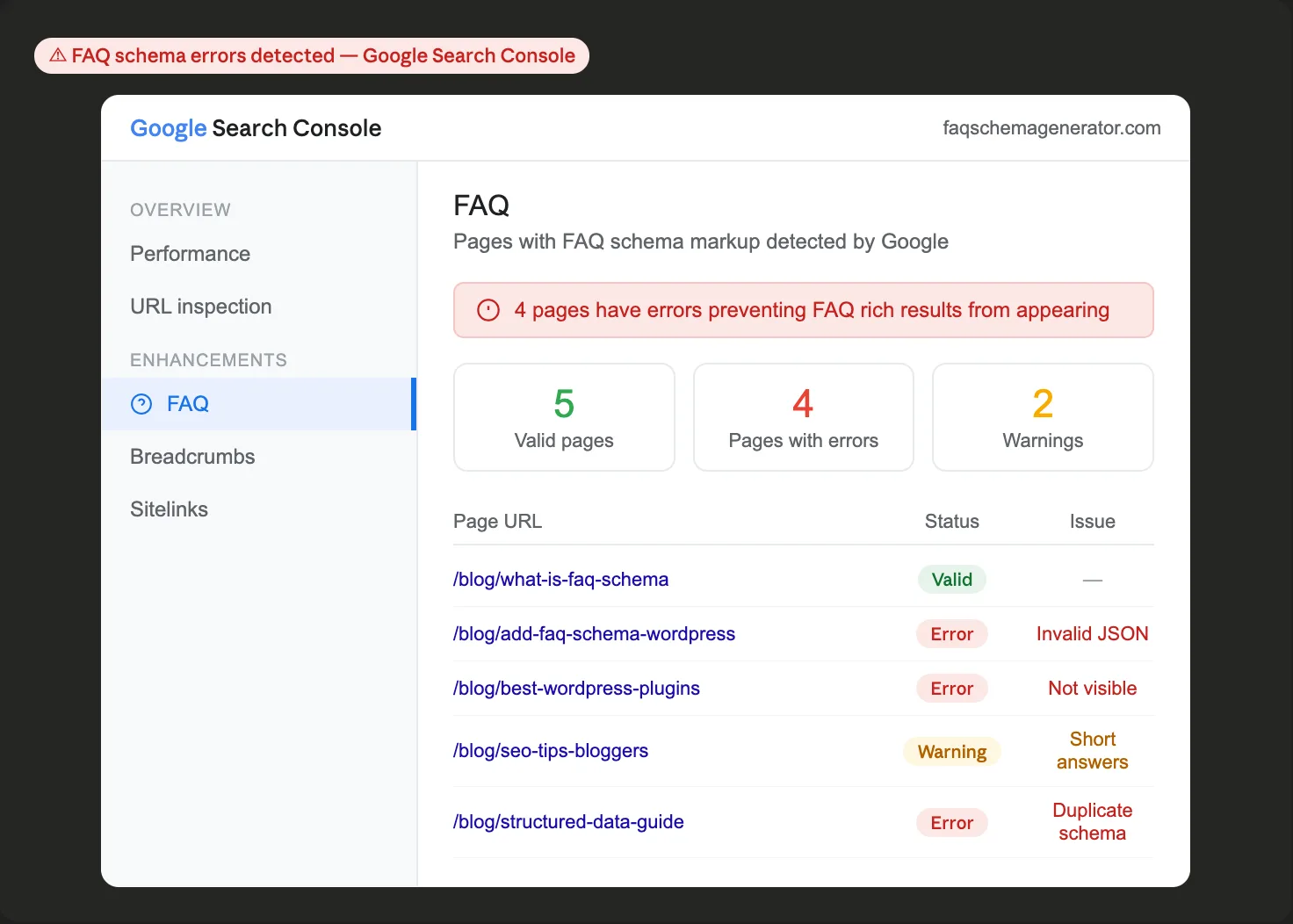
The FAQ schema is one of the most accessible structured data formats available to WordPress bloggers. But accessible doesn't mean foolproof. A handful of common mistakes can prevent your schema from working at all, or worse, trigger a Google manual action that penalizes your site. Here are the seven most frequent implementation errors, why they happen, and exactly how to fix them.
Mistake 1: Adding FAQ Schema Without Visible FAQs on the Page
This is the most common mistake and the one most likely to get you in trouble with Google.
FAQ schema markup must mirror content that's actually visible to your readers on the page. If your JSON-LD block describes questions and answers that don't appear in the readable content, Google considers it deceptive markup. The same questions that appear in your schema must be present and readable in your post's HTML.
This catches bloggers who paste in schema code from another post, forget to include an FAQ section in the body of the post, or use FAQ schema on pages where the questions are hidden behind a password, login wall, or JavaScript-rendered element that Google can't read.
The fix: Before publishing, confirm that every question and answer in your JSON-LD block appears word-for-word (or as a close match) in the visible content of your page. The schema describes the content; it doesn't replace it.
Mistake 2: Running Two FAQ Schema Methods at the Same Time
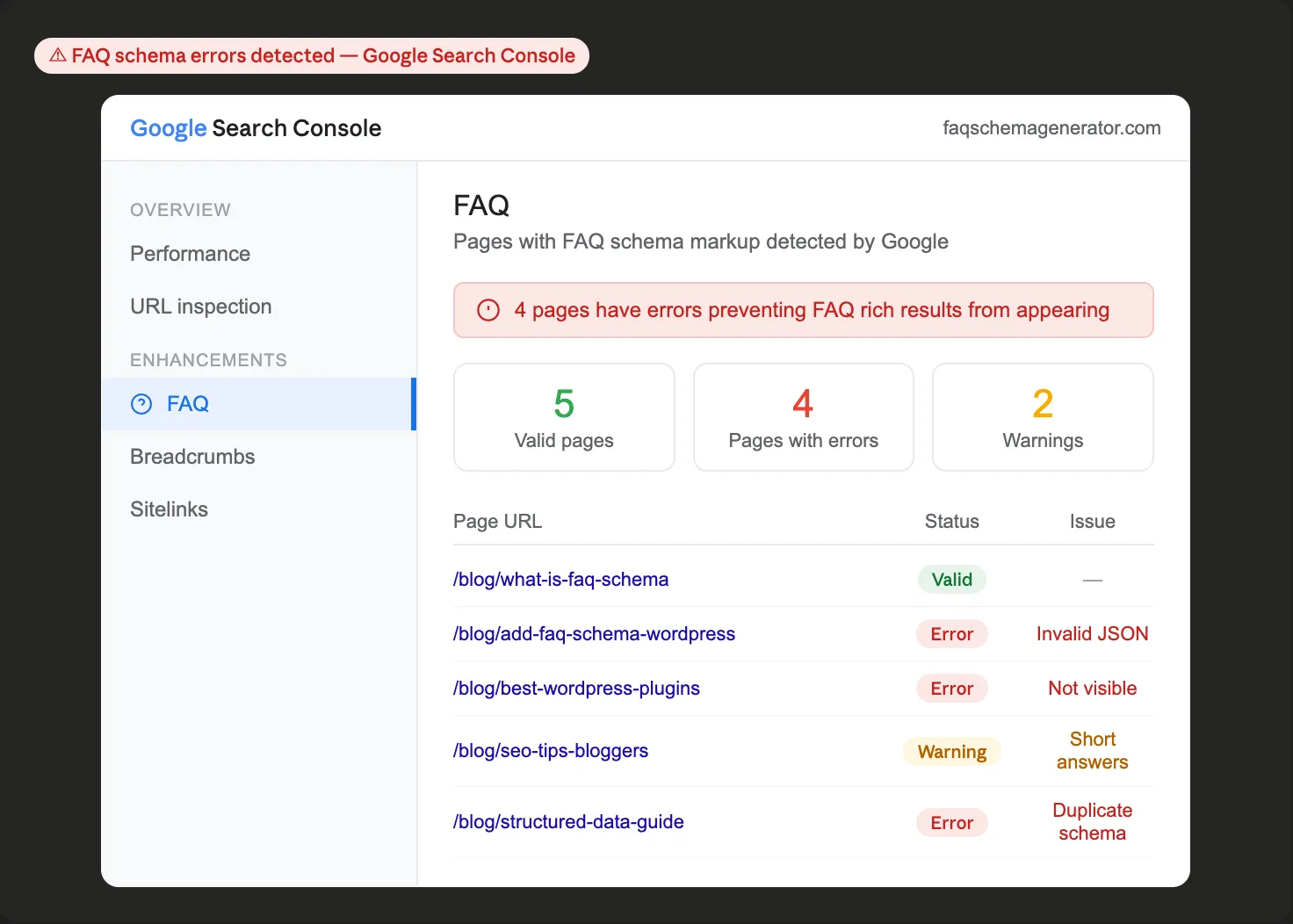
If you use an SEO plugin like Yoast, Rank Math, or AIOSEO that generates FAQ schema automatically, and you also manually add a JSON-LD block to the same post, Google will find two FAQ schema blocks on one page. This creates conflicting signals and typically results in neither block being recognized as a rich result.
This happens more often than you'd expect. Bloggers add a manual schema to a post, then later install an SEO plugin that also generates schema automatically, and don't realize there's a conflict.
The fix: Choose one method and stick with it for each post. If you use an SEO plugin that handles FAQ schema, let it do the work. If you prefer manual JSON-LD (which gives you more control over exactly what appears), turn off your plugin's FAQ schema generation for that post. Google Search Console's Enhancement report will flag duplicate schema errors if they exist on your site.
Mistake 3: Keyword-Stuffing Your FAQ Questions
It's tempting to load your FAQ questions with target keywords because they appear in search results. The thinking goes that more keywords equal better rankings. In practice, this backfires.
Google evaluates FAQ schema quality and is looking for genuine questions that reflect what real users are asking. Questions like "What is the best FAQ schema generator tool for WordPress bloggers who want to rank in Google?" are unnatural and unlikely to be displayed. They also make your FAQ section feel spammy to readers who see it on the page.
The fix: Write user questions the way a real reader would ask them. Short, natural, conversational questions perform better than keyword-dense ones. If you want to verify that your questions match actual search behavior, check Google's autocomplete suggestions and People Also Ask boxes for your topic — these show you exactly how users phrase their questions.
Mistake 4: Writing Thin or Promotional Answers
Google's FAQ schema guidelines explicitly state that answers should not be promotional. Answers that exist primarily to sell something, that are vague, or that don't genuinely answer the question are poor candidates for rich results and may be ignored even with valid markup.
This is a common mistake for businesses using the FAQ schema on product or service pages. The "answers" read more like marketing copy than helpful responses.
The fix: Each answer should stand on its own as a useful, complete response to the question. A few substantive sentences is the minimum. Ask yourself: if a reader saw only this question and answer in a Google search result, would they find it genuinely helpful? If not, rewrite the answer before adding schema markup.
Mistake 5: Adding the Same FAQ Schema Across Multiple Pages
Copying and pasting the same FAQ block to multiple pages on your site is tempting as a shortcut, but Google expects each page's FAQ schema to be unique and directly relevant to that specific page's content.
Using identical FAQs across multiple posts tells Google that either the schema is boilerplate and not meaningful, or that your site has duplicate content issues. Neither outcome helps your rankings, and it reduces the likelihood that any of those pages will earn rich results.
The fix: Write unique FAQ questions for each post that specifically address the topic of that post. It takes more time upfront, but it signals to Google that your structured data is genuine and intentional. A dedicated FAQ schema generator makes this faster — enter your post-specific questions, generate the markup, and export it in a few minutes.
Mistake 6: Invalid JSON-LD Formatting
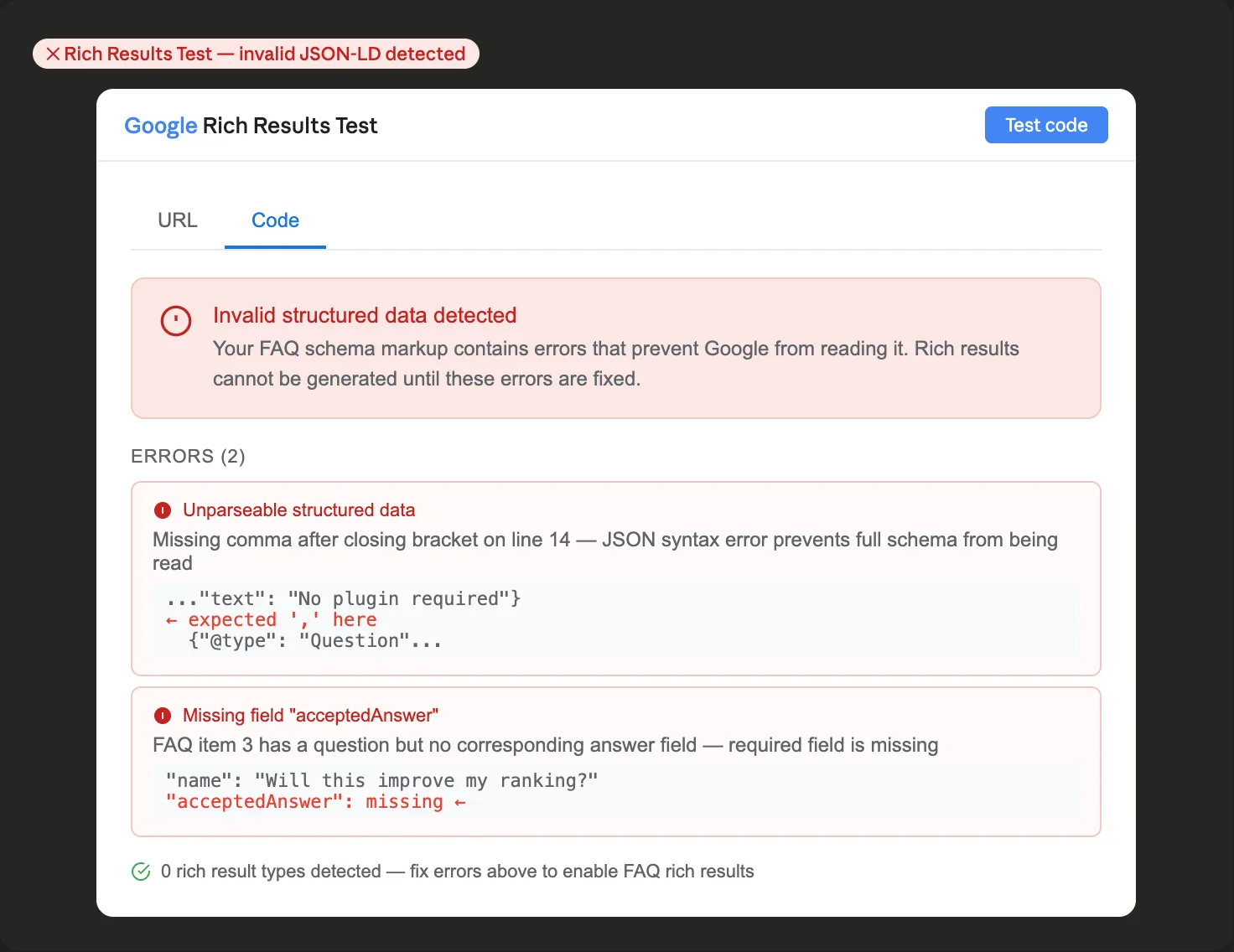
A single misplaced comma, an unclosed bracket, or an unescaped quotation mark inside an answer can break your JSON-LD entirely. Google's crawler reads structured data code strictly, and a formatting error means the entire schema block is ignored rather than partially recognized.
This is the most technical mistake on the list and the hardest to spot by eye, especially if you write your JSON-LD manually. Even experienced developers make JSON syntax errors.
The fix: Never publish FAQ schema without running it through Google's Rich Results Test first. Go to search.google.com/test/rich-results, paste your JSON-LD code into the code test option, and check for errors before your post goes live. A dedicated FAQ schema generator eliminates most of these errors automatically by building the JSON-LD from your plain text inputs — you enter questions and answers, and the tool handles the formatting.
Mistake 7: Never Updating Your Schema When You Update Your Post
Most bloggers add the FAQ schema to a post and then forget about it. But if you update your FAQ answers, add new questions, or significantly change your post's content over time, your schema markup becomes out of sync with what's actually on the page.
Mismatched schema and visible content are quality signals Google takes seriously. If the answers in your JSON-LD don't match what readers see on the page, your markup may be flagged as inaccurate, and your rich results can disappear.
The fix: Treat your FAQ schema markup as part of your post content, not a set-it-and-forget-it addition. When you update your post's FAQ section, regenerate the schema markup to match. It takes less than five minutes and keeps your structured data accurate and eligible for rich results.
How to Catch Mistakes Before They Affect Your Rankings
Two free Google tools should be part of your FAQ schema workflow for every post:
Google's Rich Results Test (search.google.com/test/rich-results): validates your JSON-LD before publishing and catches formatting errors, missing fields, and content mismatches. Use the code test option before publishing, and the URL test option to re-validate after publishing.
Google Search Console, the Enhancements > FAQ section: shows all pages on your site with FAQ schema, their validation status, and any errors or warnings. Check it periodically to catch issues that develop over time, such as posts whose schema has drifted out of sync with updated content.
The FAQ schema type is one of the more forgiving forms of structured data to implement, but only if the basics are right. Avoiding these seven mistakes puts you in the category of sites that earn rich results consistently, rather than the majority who add schema markup and wonder why nothing happens.