If you've used FAQ schema before, you probably learned to test it with Google's Rich Results Test and look for a green checkmark next to "FAQ." That workflow no longer applies. Google retired FAQ rich results from search on May 7, 2026, and removed FAQ-specific support from the Rich Results Test in June 2026. The Search Console FAQ report followed, with API support ending in August 2026.
None of that means FAQ schema is pointless, and it doesn't mean you should remove it from your pages. FAQPage is still a valid Schema.org type, and there's still real value in confirming your markup is well-formed and accurately describes what's on your page. What's changed is why you're testing it and which tool tells you that.
What Actually Changed
There are two separate things that used to be bundled together, and it's worth pulling them apart:
- FAQ schema is markup. It's a block of JSON-LD that tells search engines, "this part of the page is a set of questions and answers."
- FAQ rich results were a visual feature in Google Search — the expandable dropdown that appeared under a search listing.
As of May 7, 2026, the rich result is gone. Google quietly added a deprecation notice to its FAQ structured data documentation rather than publishing an announcement. The narrow eligibility that remained for government and health sites since 2023 is gone too — this is a full retirement, not a further restriction.
The supporting tools are being phased out on a staggered timeline:
- June 2026: FAQ support removed from the Rich Results Test, and the FAQ rich result report removed from Search Console.
- August 2026: FAQ rich result support removed from the Search Console API.
Google has also said, consistent with its longstanding position, that unused structured data doesn't cause problems for a site — so there's no urgency to strip FAQPage markup out of fear it will hurt you. The question is just whether it's still doing useful work.
Should You Keep Your FAQ Schema?
In most cases, yes — with one condition: the questions and answers in your schema need to actually be visible on the page. That requirement didn't go away with the rich result; if anything, it's the only part of the old guidance that still matters.
A simple way to decide:
- Keep it if your FAQ section is real, visible content that answers questions readers actually have, and the schema accurately mirrors that content.
- Remove or rewrite it if it was added purely to chase the old rich result — duplicated across templates, padded with generic questions, or referencing content that isn't actually shown on the page.
Whether FAQ markup carries any benefit for AI search tools and citations is a separate, more debated question, and not one Google has made specific claims about. The safest position is to treat well-formed FAQ schema as cheap, low-risk markup that describes real content — not as a growth lever in its own right.
How to Validate FAQ Schema Markup Now
With FAQ-specific reporting going away, validation shifts from "will this earn a rich result" to "is this syntactically correct and does it match the page." Two tools handle that:
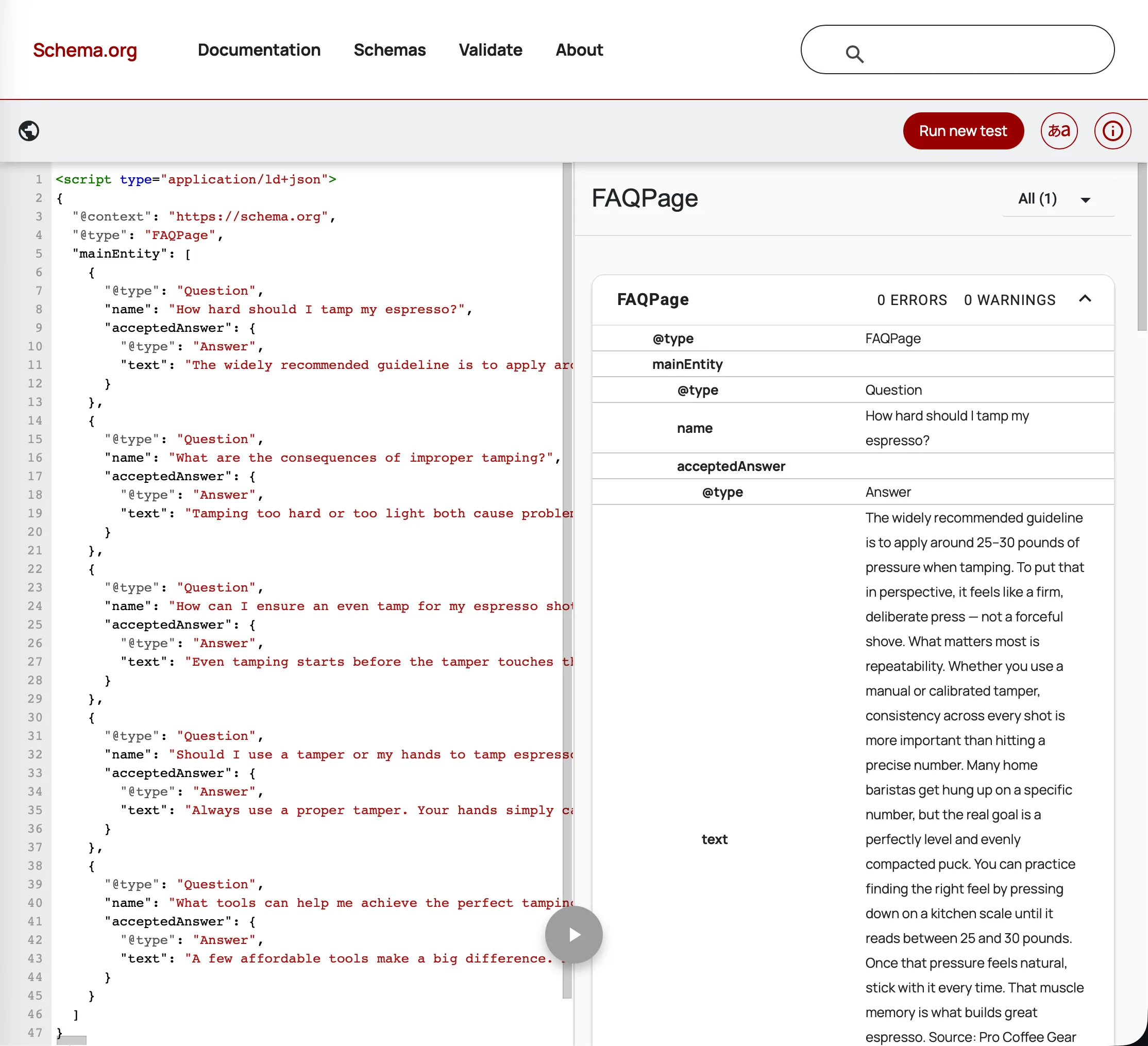
The Schema Markup Validator (validator.schema.org), maintained by Schema.org itself, checks that your JSON-LD parses correctly and conforms to the FAQPage type — independent of Google's rich-result eligibility rules. This is the most future-proof option since it isn't tied to any single search engine's feature decisions.
Google's Rich Results Test (search.google.com/test/rich-results) is still worth using for catching JSON-LD syntax errors. Even after FAQ-specific eligibility reporting was removed, the tool still flags malformed code — it just won't tell you "eligible for FAQ rich result" anymore, because that result no longer exists.
The workflow below uses the Schema Markup Validator as the primary tool, with Google's tool as a secondary syntax check.
Step-by-Step: Validating Your Code Before Publishing
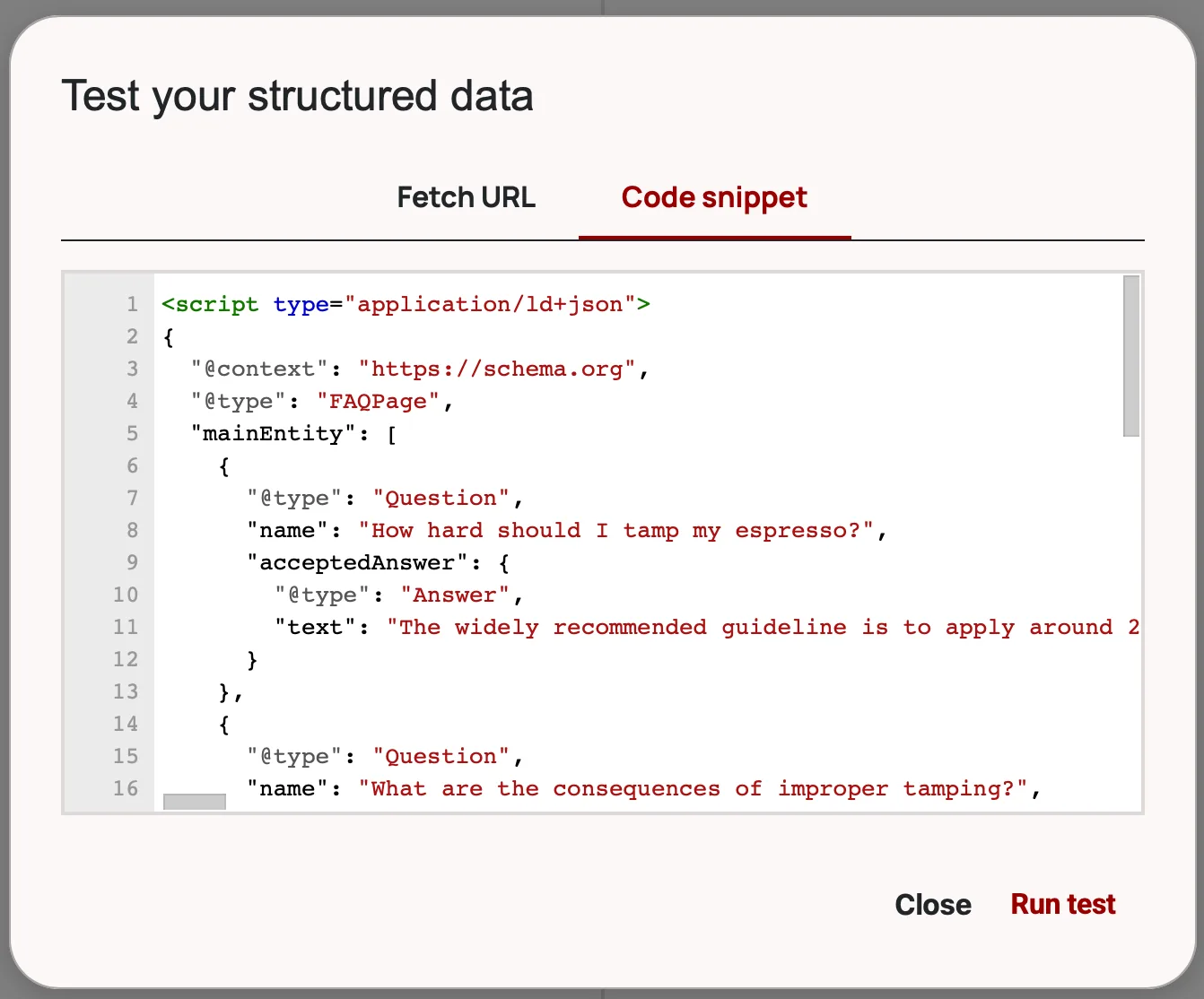
Step 1: Generate your FAQ schema markup. If you're using faqschemagenerator.com, enter your questions and answers and export the JSON-LD code, including the opening <script type="application/ld+json"> tag and closing </script> tag.
Step 2: Go to validator.schema.org.
Step 3: Paste your JSON-LD block into the code field, or enter the URL once the page is live.
Step 4: Run the validator. It will parse your markup and flag any structural problems — missing required properties, malformed JSON, or incorrect nesting.
Step 5: Cross-check the questions and answers in your code against what's actually written in your post. The schema should match the visible content in substance, even if not character-for-character.
Step 6 (optional): Paste the same code into Google's Rich Results Test as a second syntax check. Ignore any rich-result eligibility messaging — focus only on whether it flags errors.
Step-by-Step: Validating a Published URL
Step 1: Make sure your post is published and publicly accessible.
Step 2: Go to validator.schema.org and enter your post's full URL.
Step 3: Review the parsed output. Confirm your FAQPage and Question/Answer entities appear correctly and without errors.
Step 4: Manually compare the schema's questions and answers to the visible page content. This step doesn't have a tool shortcut — it's a quick read-through, but it's the part that actually matters now that there's no automated "items not visible to users" flag tied to a rich-result feature.
Step 5: If you have an existing habit of checking Search Console's Enhancements report for FAQ status, you can drop that step from your workflow — that report was removed in June 2026.
Common Errors and How to Fix Them
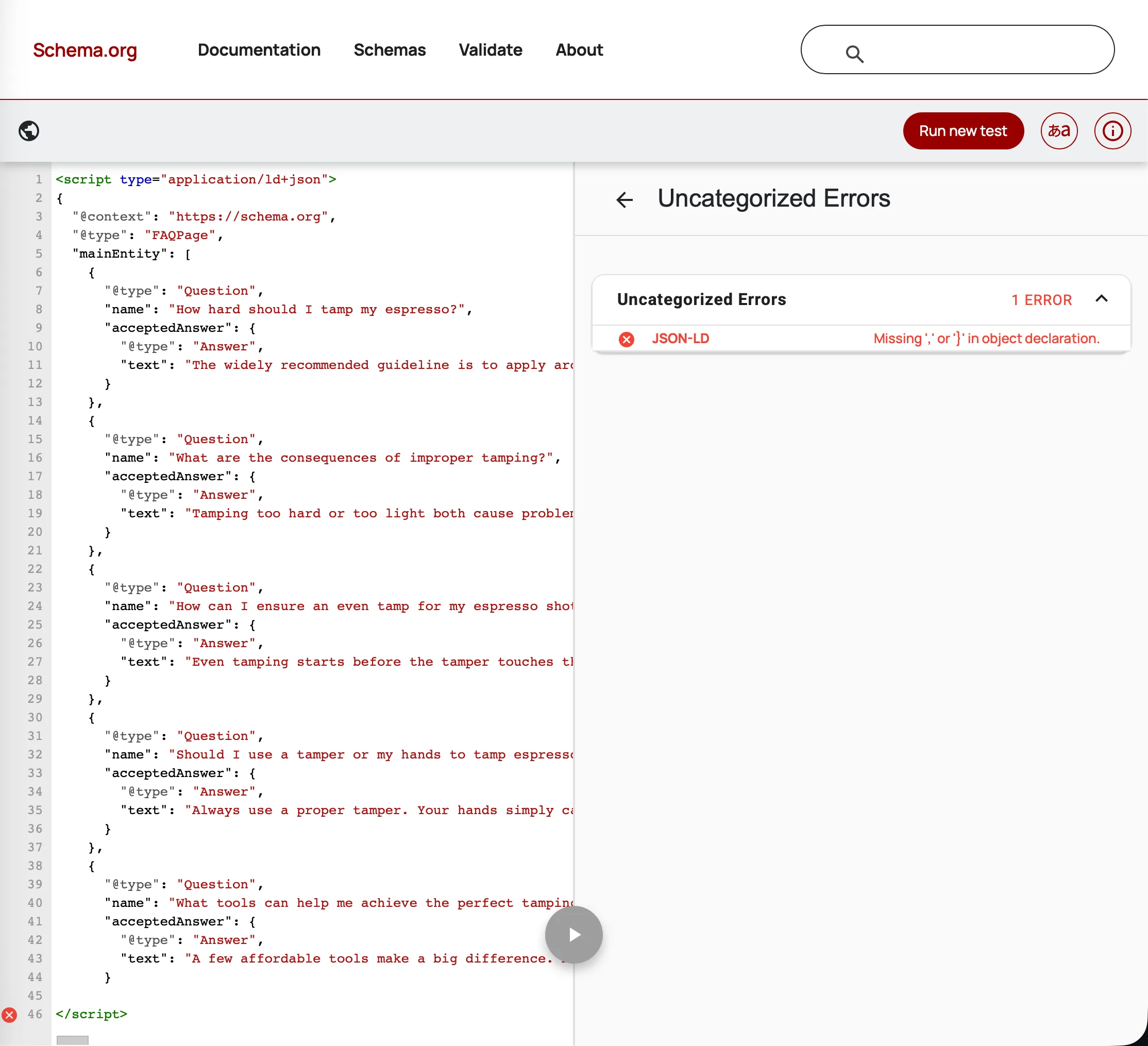
These are general JSON-LD and FAQPage issues, unaffected by the rich-result deprecation — they'll still break your markup regardless of what tool you use to check it.
Missing field 'acceptedAnswer': One of your FAQ items has a question without a corresponding answer in the JSON-LD. Check for any answer fields that are empty or missing.
Either 'name' or 'text' should be specified: A required field in one of your FAQ items is empty — usually a question or answer left blank during generation.
Unparseable structured data: A JSON syntax error — a missing comma, an unmatched bracket, or a stray special character. If you used an FAQ schema generator, re-export the code and check for manual edits that may have broken it.
Items not visible to users: The schema references questions or answers that aren't visible in the page's readable content. Make sure your FAQ section is actually present in the post body, not hidden behind CSS, JavaScript, or a collapsed accordion that never renders the text. For a full list of schema mistakes and their fixes, see 7 FAQ Schema Mistakes WordPress Bloggers Make.
What to Do Instead of Chasing Rich Results
The old incentive — add FAQ schema, win extra SERP real estate — is gone. That's not entirely a loss. It removes the temptation to bolt a generic FAQ block onto every page regardless of whether it's useful. A few things worth doing instead:
- Audit existing FAQ sections for real value. Are these questions your readers actually ask, or filler written to justify the schema?
- Write answers that stand on their own. Lead with the direct answer in the first sentence rather than burying it in setup — this helps human readers and any system summarizing your content, schema or not.
- Keep the schema where the content is genuinely good, and treat it as accurate machine-readable description rather than a ranking or display tactic.
- Update any saved reports or dashboards that pull FAQ rich-result data from Search Console, since that data went stale in June and the API path closes in August.
Making This Part of Your Workflow
Replace the old two-step habit — test code, test URL, both through the Rich Results Test — with a similar two-step habit built around the Schema Markup Validator: validate before publishing, validate the live URL after. The mechanics barely change. What changes is the goal: you're confirming the markup is correct and honest about your content, not chasing a search feature that no longer exists.
For more context on what FAQ schema still delivers after the May 2026 deprecation, see Does FAQ Schema Still Work in 2026?